
VEIL for iPhone, iPad and Mac · by Nicholas Xerri
Your moments.
Your privacy.
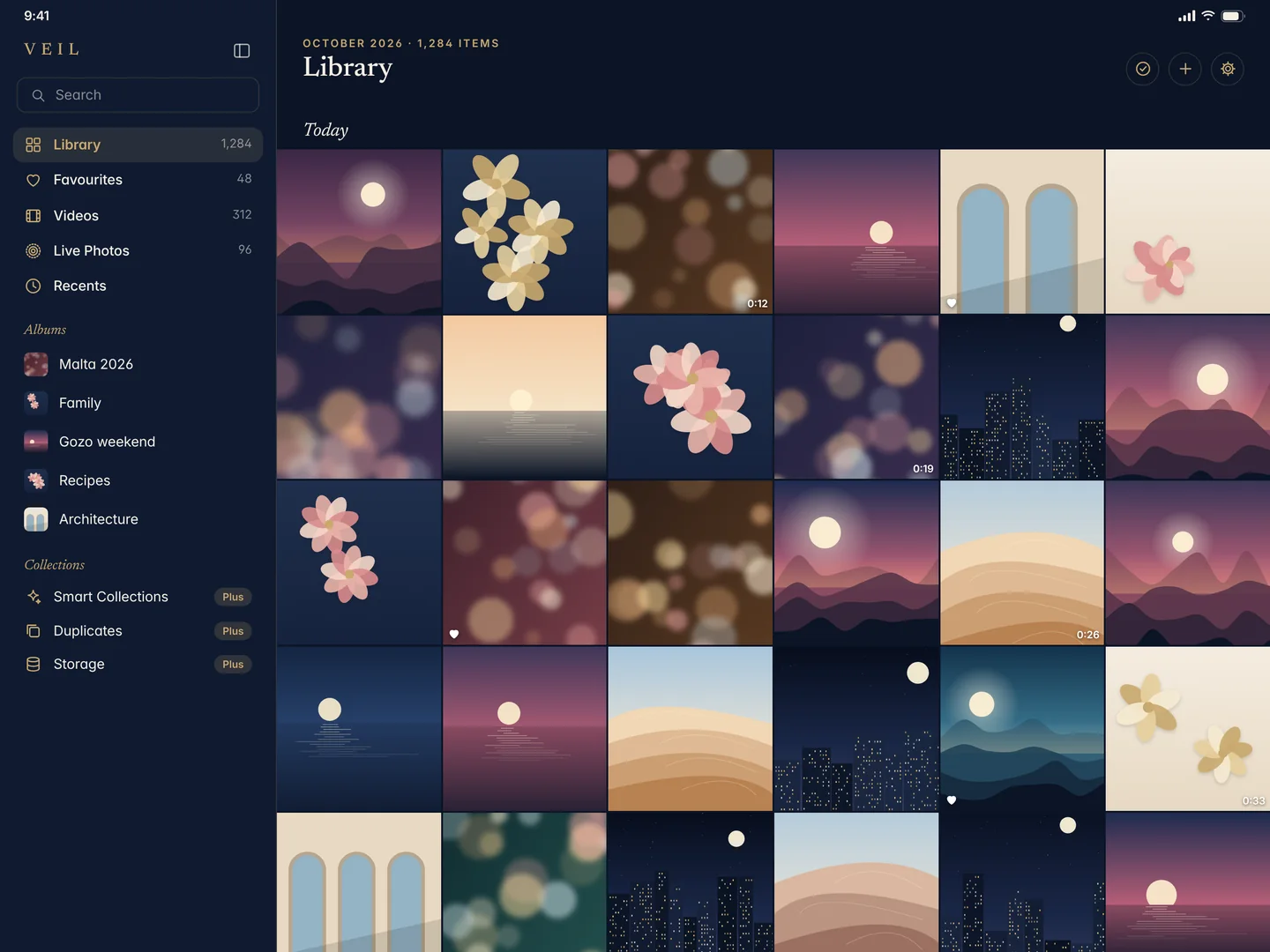
VEIL is a calm home for your photos and videos, with a private library that only you can open. It is encrypted on your device, opened with your passphrase or Face ID, and nobody else holds a key. Not even me.
Free app. VEIL Plus is a one-time purchase, no subscription. In development: not released yet.

Private by design
No analytics.
Your photos stay yours.
Nothing collected
VEIL has no analytics, no advertising code, no tracking and no account. It never tells me who you are, what you keep or how you use it.
Encrypted on your device
Every private photo and video is encrypted with AES-256 before it is written. The key comes from your passphrase and never leaves your iPhone in readable form.
No key with anyone else
There is no server that can unlock your library, no master password and no back door. Optional iCloud backups are encrypted before they leave the device.
Hold the title.
Open your private library.
VEIL looks like what it is: a beautiful photo organiser. To open the private library, hold the VEIL title for about a second, then enter your passphrase or use Face ID or Touch ID.
- The gesture is listed in Settings, where you can change it, and offered as a VoiceOver action
- One lock screen for every library: the passphrase decides which one opens
- Locks the moment you leave the app, and covers itself in the app switcher


A second library
for when you need one.
Set up an alternate library with its own passphrase. It looks and works exactly like the first. If someone pressures you to unlock VEIL, you can open a library you chose for that moment.
- Each library has its own key; one passphrase never opens another
- The key file always has the same size and shape, however many libraries you use
- Honest about limits: this helps against a casual look, not a forensic lab
Bring photos in.
Lose nothing.
Pick photos and videos with the system picker; VEIL never needs your whole library. Each item is encrypted, read back and checked before VEIL offers to remove the original from Photos, and iOS always asks you first.
- Imports resume after an interruption, item by item
- Videos play straight from encrypted storage, with no unencrypted copy on disk
- Export any time, in full quality. Your photos are never held hostage

Security, never a paid extra
Built like
a bastion.
Face ID and Touch ID
Optional, per library. The key is wrapped by the Secure Enclave on this device, so a changed fingerprint or face set turns it off until you type your passphrase.
A passphrase that resists guessing
Your passphrase is stretched with Argon2id, a memory-hard function designed to make guessing slow and costly, even on special hardware.
Recovery key
A recovery key you print or write down. Lose your passphrase and the recovery key still opens your library. Lose both and nobody can, which is the point.
Privacy shield
VEIL covers itself before iOS takes the app-switcher snapshot, and hides private content during screen recording or mirroring.
Location stays private
When you share from VEIL, location and camera details can be removed from the copy, so a photo doesn't say where it was taken.
No disguises, no tricks
VEIL does not pretend to be a calculator. It is an honest app with an honest privacy promise, and it's listed exactly that way on the App Store.
iPhone, iPad and Mac
One purchase.
Every Apple device.
VEIL is designed for iPhone, iPad and Mac. VEIL Plus, bought once, unlocks on all of them with the same Apple Account, and Family Sharing is included.
Pricing
Free. Plus once.
No subscription.
Free
No cost
- Organiser: library, albums, collections and search
- Encrypted private library and an alternate library
- Face ID, Touch ID, recovery key, privacy shield
- Import, export and encrypted manual backup
Plus
One-time purchase, no subscription
- Automatic encrypted iCloud backup
- Smart collections and on-device text search
- Private slideshows
- VEIL Transfer to a new device
Security is never a paid extra. Every protection is in the free app. Compare Free and Plus
iOS 17 or later. iPad and Mac versions are part of the same purchase.
Made in Malta.
Built like a bastion.
I'm Nicholas Xerri, an independent developer. I build apps that assume someone will try to get in, and make sure they can't. About me